OneDep deposition
Doppio uses the wwPDB/onedep_lib OneDep Remote API Library to authenticate and submit depositions.
Quick start
Sign in to OneDep with ORCID and generate a refresh token from the
Deposition APIpanel.Run
doppio-web --configure-one-depin a terminal and paste the token when prompted.Open an existing Doppio project and create a OneDep deposition job.
Run the job with
Start a OneDep deposition?disabled, inspect the draft, then continue the same job with the option enabled to submit it.
The sections below describe each step in detail.
Credentials
OneDep credentials are stored in your user-level Pipeliner configuration, not in an individual Doppio project. Keep your refresh token private.
You can get your refresh token from the OneDep website by logging in with ORCID, agreeing to the wwPDB privacy policy, and generating the key.
Recommended setup
Sign in to OneDep with ORCID and generate a refresh token from the
Deposition API panel. Then run this command in a terminal:
$ doppio-web --configure-one-dep
Paste the OneDep refresh token:
The Doppio desktop application does not currently provide this setup option.
If doppio-web is not available on your shell path, run the bundled executable
using its full path:
On Linux, it is in the
appdirectory of your Doppio installation:$ /path/to/doppio/app/doppio-web --configure-one-dep
On macOS, use the path for a system-wide or single-user installation, respectively:
$ "/Library/Application Support/ccpem/doppio_api/doppio-web" --configure-one-dep
$ "$HOME/Library/Application Support/ccpem/doppio_api/doppio-web" --configure-one-dep
The token is hidden while it is pasted and is not included in the command
history. The command stores it in Pipeliner’s config directory:
~/.config/onedep/config.toml by default on both Linux and macOS.
It does not contact OneDep. The command uses Doppio’s bundled Python
environment, so Pipeliner does not need to be on your shell path.
The OneDep config TOML path field in Doppio defaults to this standard
config, so no project-specific credential setup is needed.
Do not export ONEDEP_REFRESH_TOKEN or add it to a shell startup file:
environment values override credentials subsequently loaded from the config.
Troubleshooting credentials
Credential and connectivity checks run before a deposition is created. If setup or the first authenticated request fails, correct the problem and run the job again:
If the config cannot be found, run
doppio-web --configure-one-depand retry. No deposition has been created. New jobs default to Pipeliner’s standard config directory for your platform.The config must be valid TOML and readable and writable by the user running Pipeliner or Doppio.
If the refresh token is missing, expired, revoked, or invalid, generate a new key on the OneDep website and replace the
refresh_tokenvalue.If a custom OneDep server cannot be reached, check the network connection and its
hostnamesetting. The production service does not need ahostnamesetting in the config.If config changes appear to be ignored, make sure
ONEDEP_ACCESS_TOKENandONEDEP_REFRESH_TOKENare not set in the environment, because they override the config file.
No deposition is created when one of these checks fails.
Running a deposition
After creating the config, start Doppio without ONEDEP_ACCESS_TOKEN or
ONEDEP_REFRESH_TOKEN in its environment.
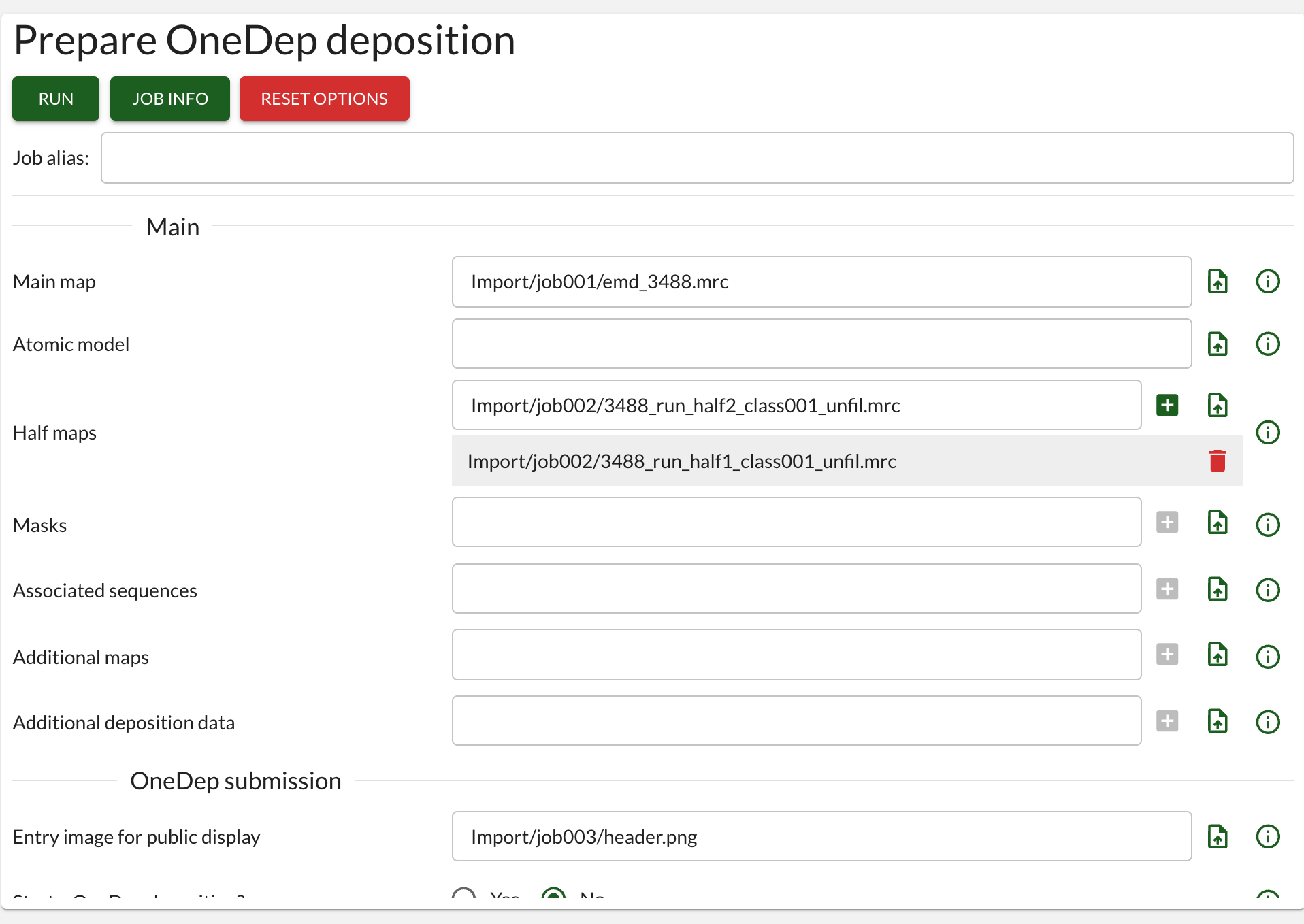
A live OneDep submission requires a main map and PNG entry image. The atomic model is optional. SPA, helical, and subtomogram depositions require exactly two half-maps.
Prepare and review
In an existing Doppio project, create a OneDep deposition job and enter the
deposition details. Keep Start a OneDep deposition? disabled for the first
run. This prepares the files without creating or uploading a remote deposition.
Inspect draft_deposition.mmcif in the completed job directory before
submitting.
Submit to OneDep
Select the completed preparation job, choose Continue, enable Start a
OneDep deposition?, and keep Run checks without creating/uploading
deposition? disabled. Run the continuation to upload the deposition.
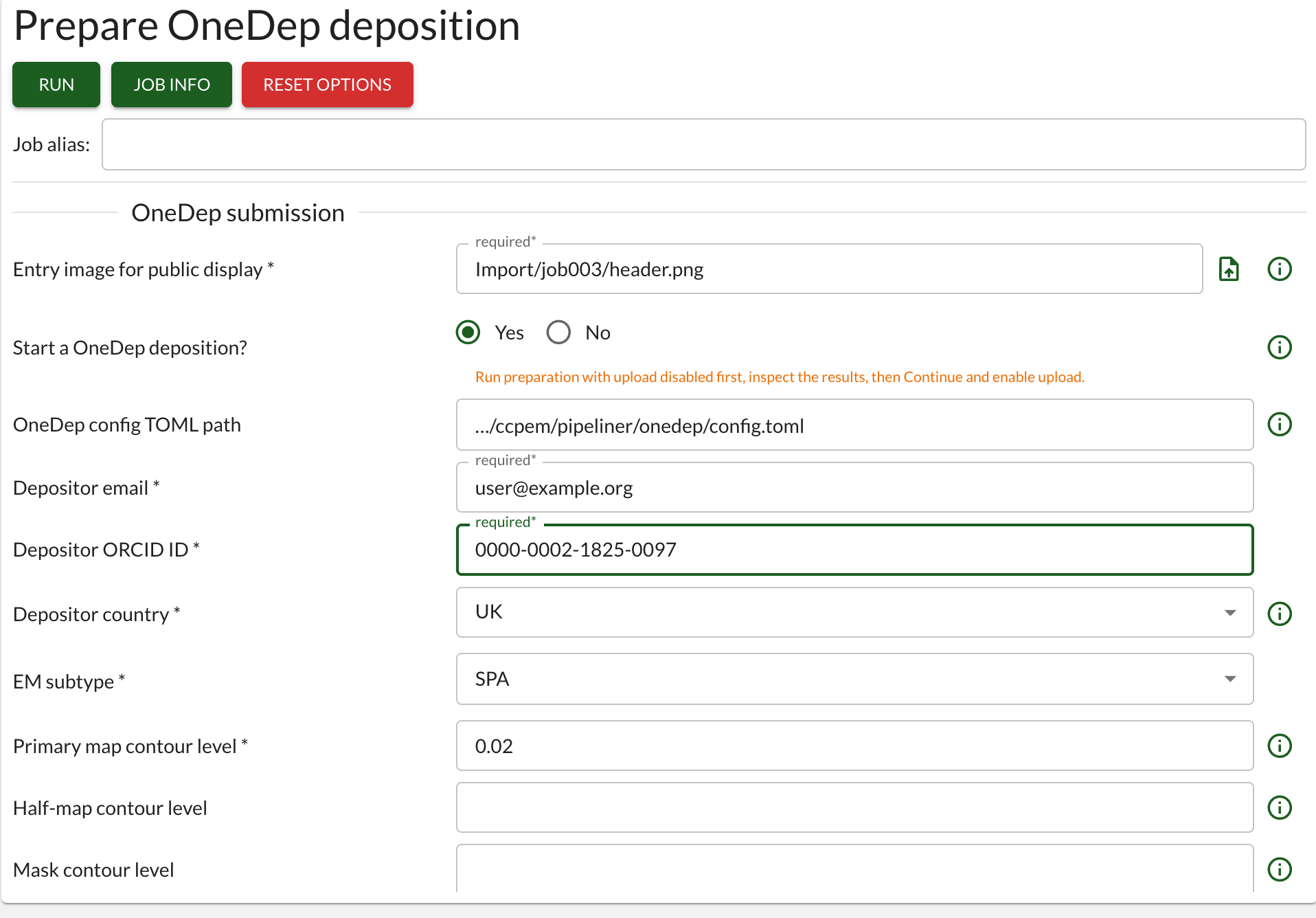
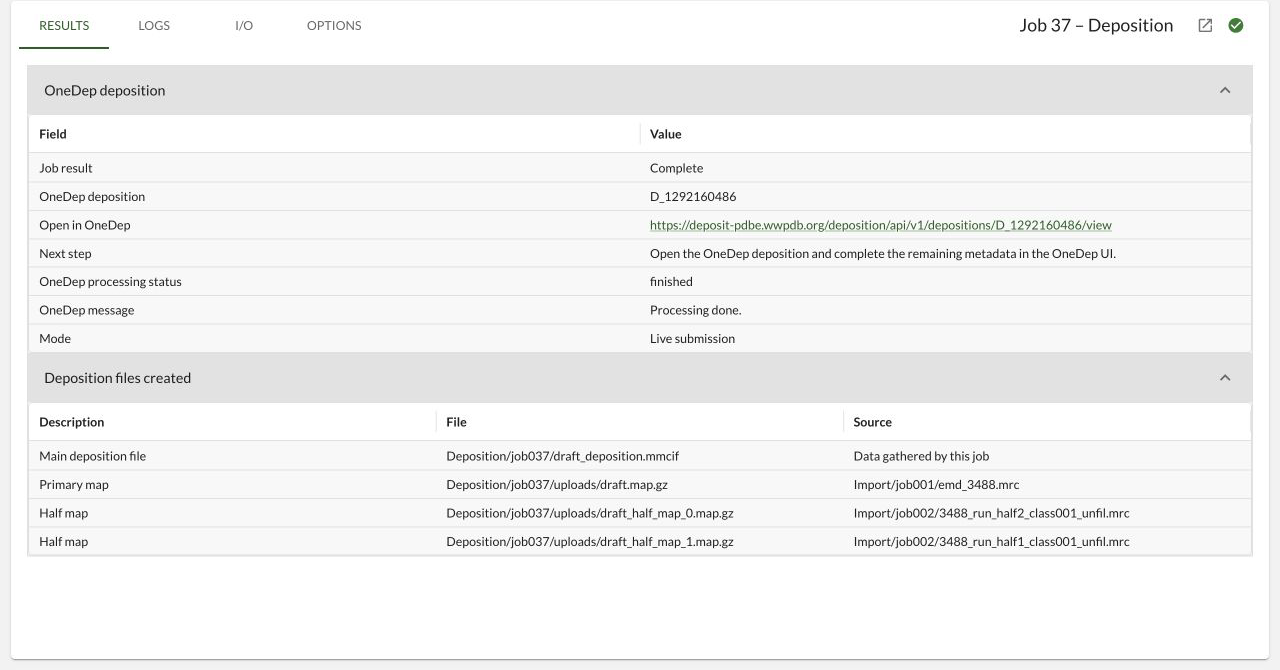
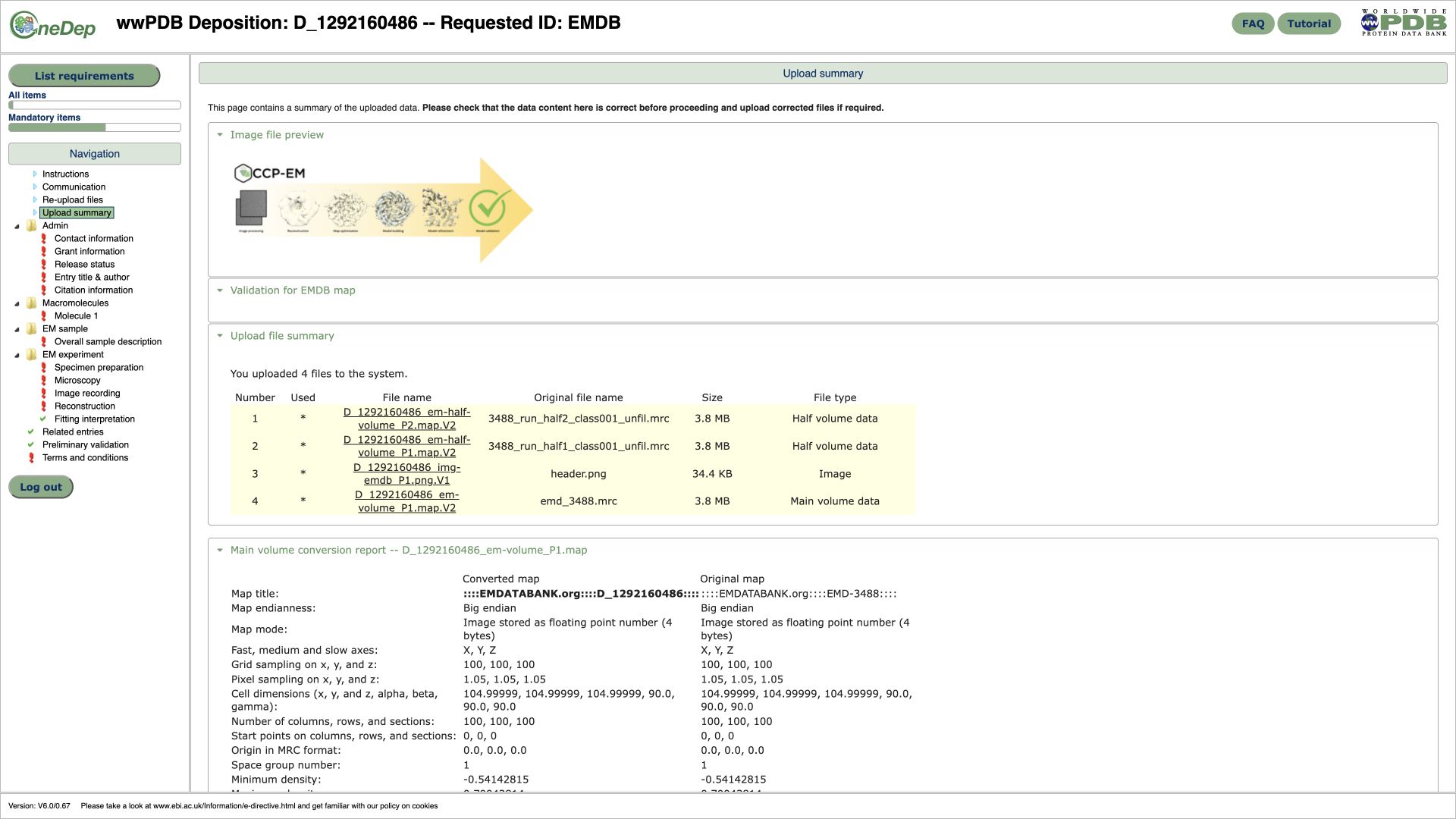
The job stores only the optional config path; token values remain absent from commands, project parameter files, result JSON, and upload logs. After an upload completes, use the result link to edit the existing deposition in OneDep rather than overwriting or uploading the job again.
Alternative: create the standard config manually
Use this only when the setup command is unavailable. Create the path shown above with the following template and paste a newly generated refresh token:
[default]
hostname = "https://deposit.wwpdb.org/deposition"

[auths.deposit_wwpdb_org]
refresh_token = "<paste production refresh token>"
With the default config location on Linux or macOS:
$ mkdir -p ~/.config/onedep
$ chmod 700 ~/.config/onedep
$ chmod 600 ~/.config/onedep/config.toml
On the first authenticated request, onedep_lib exchanges the supplied
refresh token and replaces it with the rotated credentials. The file must stay
writable. Do not copy the same refresh token into multiple files: only the first
copy to refresh remains valid.
For advanced configuration options, see the OneDep library configuration documentation.